Room redesign
A tired living room, reimagined as a warm refuge
A 4×5 m living room carrying three decades of beige. Uploaded with one instruction — “warm, modern, keep the light”. Drag to see the room it became.

Original
AI redesign
Ask Arki for what you want in your own words — furnish this room, film my land, model this chair, make me a video of a lighthouse at sunset. It plans every step, shows you exactly what it will make and what it costs, and builds it the moment you tap once. You approve. Arki does the rest.
Arki has always explained the studio. Now it works in it. Ask for a render, a film, a 3D model, a whole restyled room — even something we've built no button for — and Arki writes the plan, points it at the right design, and hands you a single card to approve. Tap once and it builds, step after step, while you watch.
Nothing ever runs behind your back. Every step is listed with its exact price before you tap — and you can change the model, reword the instruction, or pick where it saves, right on the card. Until you press Run, nothing is spent.
Arki is the sparkle in the corner of every page — including this one.
Arki will make
2 stepsPaint the opening frame
122Animate it into a 5-second film
1,050The film is made from the frame in step one.
Nothing is charged until you tap Run.
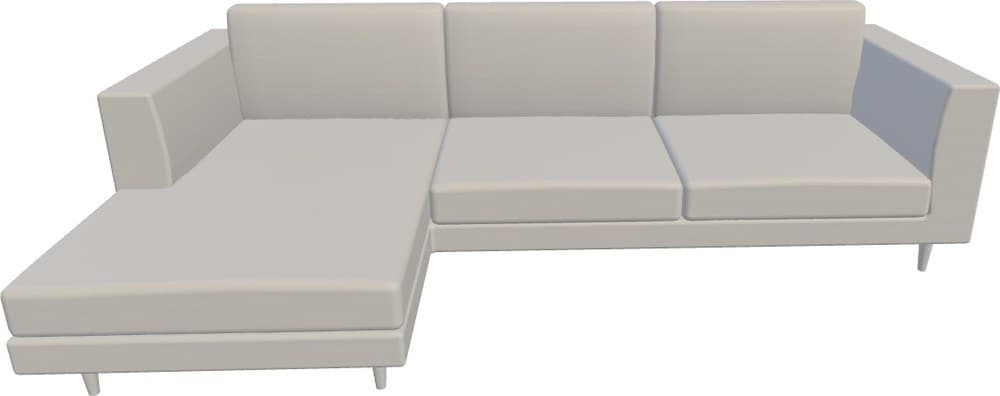
Bringing the model in…
That is the real mesh turning in your browser — the very file you would download. Drag it, spin it, look underneath.
Fire a photo of a single piece into the Kiln and it comes back as a true textured mesh — not a picture of a model, the model itself. Spin it, measure it against a person for scale, shoot fresh photoreal angles of it, or drop it into a photo of your own room.
Bring anything that stands on its own — a door, a gate, a chair, a railing, a light. The Kiln rebuilds the piece, never the room around it.
A piece you've fired doesn't stay in the Kiln. Hand it to any other flow — stage an empty room, restyle one you live in, furnish a floor plan, bring a sketch to life — and the design is built around YOUR piece, in the right light, at the right size, instead of a generic lookalike the model invented.
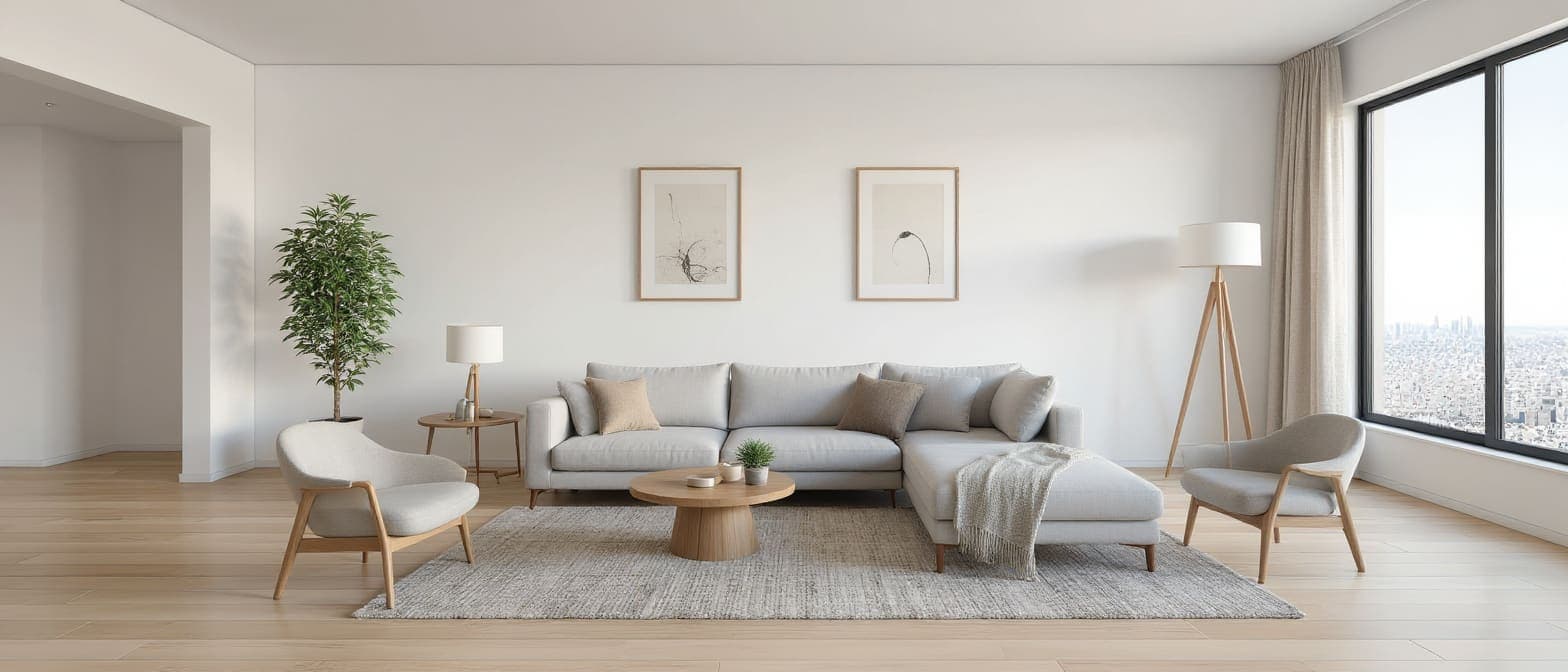
One real design, start to finish: an empty room, the sofa modelled from a single photo, and the staging that used it. Tap any frame to look closely — it's the same sofa.
Open the piece on a phone and it steps out of the screen onto your floor at true size — walk around it and see whether it fits, before anyone builds a thing.
Tell it how tall the real piece is and the model labels its width, height and depth — with a person standing beside it, so scale stops being a guess.
Drop in a photo of your room and drag the real model onto it, then save the composite. Not an AI impression of something similar — the actual model, so the shape and proportions can't drift.
Every bit of this is live right now — on every plan, the free tier included.
From a blueprint, a snapshot, a sketch, or a bare plot — summon a fully furnished home, step inside in 3D, and ship the whole vision to a realtor’s phone.
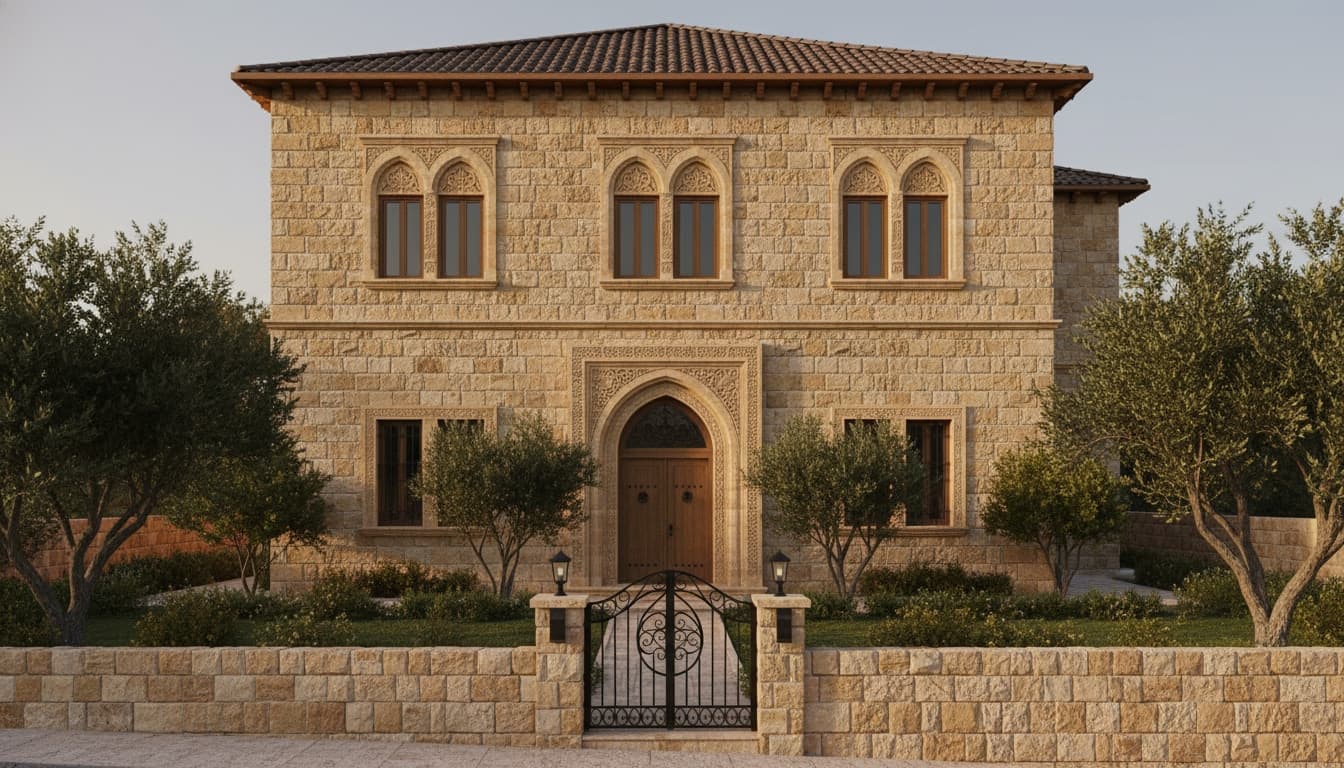
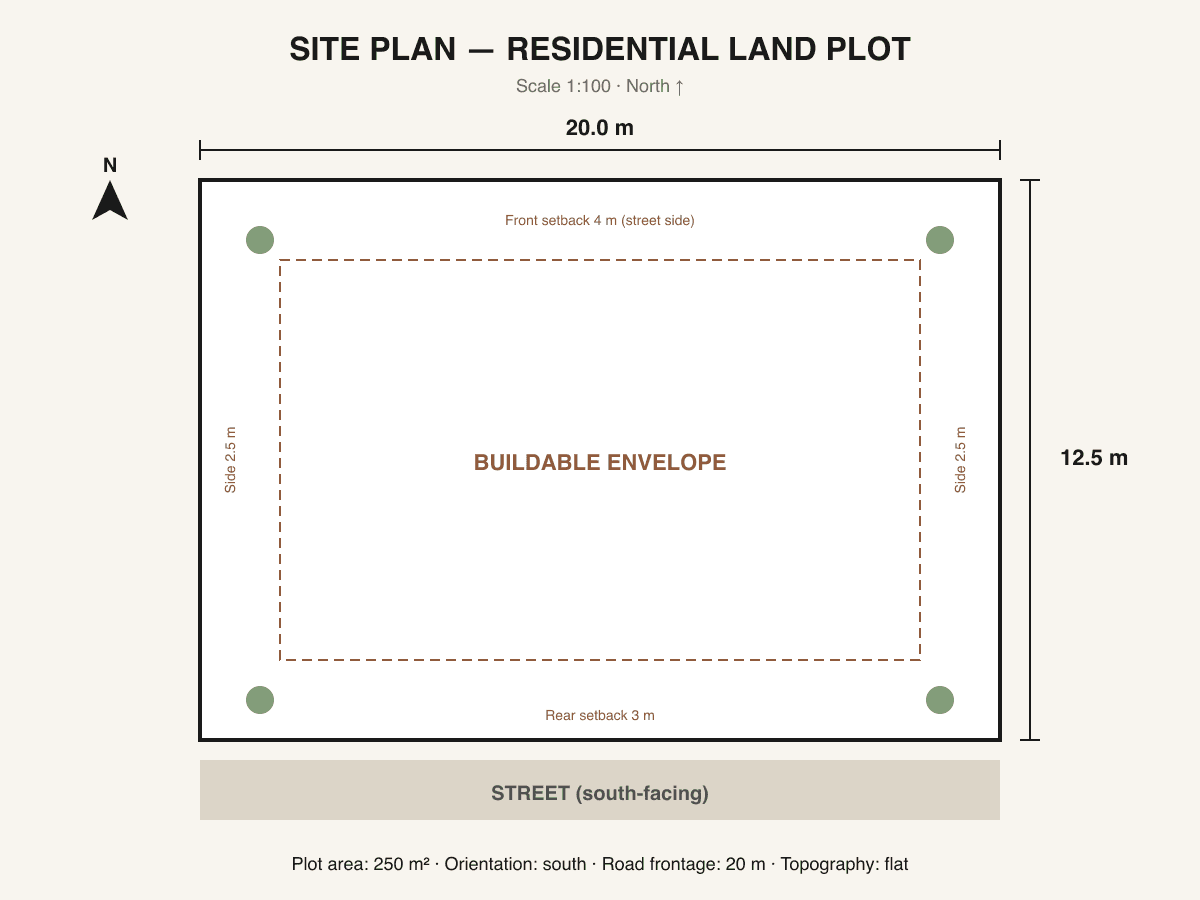
Raise your building on your real land as a film, bring any image to life, and furnish a plan from above — every one of them unlocked on every plan. Press play.
Look closely — this isn’t one continuous shot. Every Rise film is many AI clips woven into a single seamless take, each one picking up exactly where the last left off. Stitching shots that never cut is the hard part — and it’s what we do.
Upload a photo of your real plot, describe the building you want, and watch a cinematic film raise it — foundation to finished facade — right where you’ll build. Then step inside and walk through it, room by room.
Don’t love the finished building? Edit it before you animate — “more windows,” “warmer stone,” or re-roll a whole new building — then press play on the one you love.
The same power, on any image — animate one shot, then keep extending it. Each new clip picks up exactly where the last left off, weaving many AI takes into a single seamless film with no cut and no jump.
Drop in ANY image — a portrait, a product, an artwork, a landscape, a render — and animate it into a moving clip, or edit it in a single sentence: “make it dusk,” “add our logo,” “change the background.” Anything you upload, in motion or reimagined.
The fun part — Studio animates ANY image, not just buildings. A portrait, a product, a painting, a place: drop it in and watch it come alive.
Turn any floor plan into a photoreal furnished home seen from above — then art-direct it: set each surface’s material and colour, change the lighting, or just say what you want changed — “remove the rug,” “add a plant,” “make it warmer” — and reweave the whole plan in seconds.
Attach a photo of the furniture, materials, or a look you love, and your render is built around it — not a generic guess.
Take a first-person journey through your future home — outside to in, from the street to the front door to any room. Tap to move; every step is a photoreal clip.
Every one of these is live the moment you open the studio — no waitlist, no toggle.
From a blueprint, a bare plot, a napkin sketch, or a phone snapshot — nine ways to summon a styled, budgeted, walkable design.
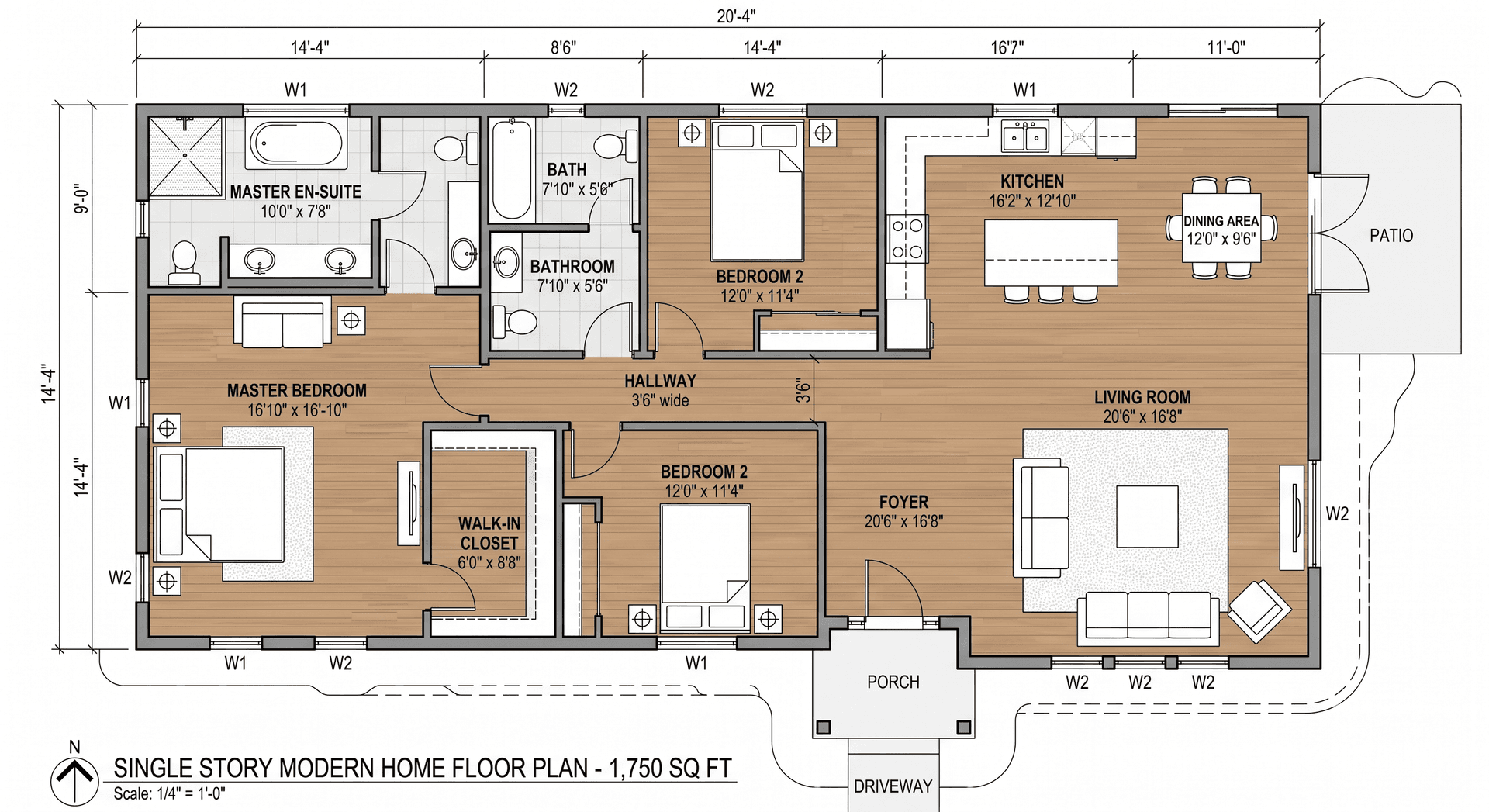
Drop a plan and the canvas lights up — rooms, dimensions, walls, doors, and windows lifted off the page in seconds.
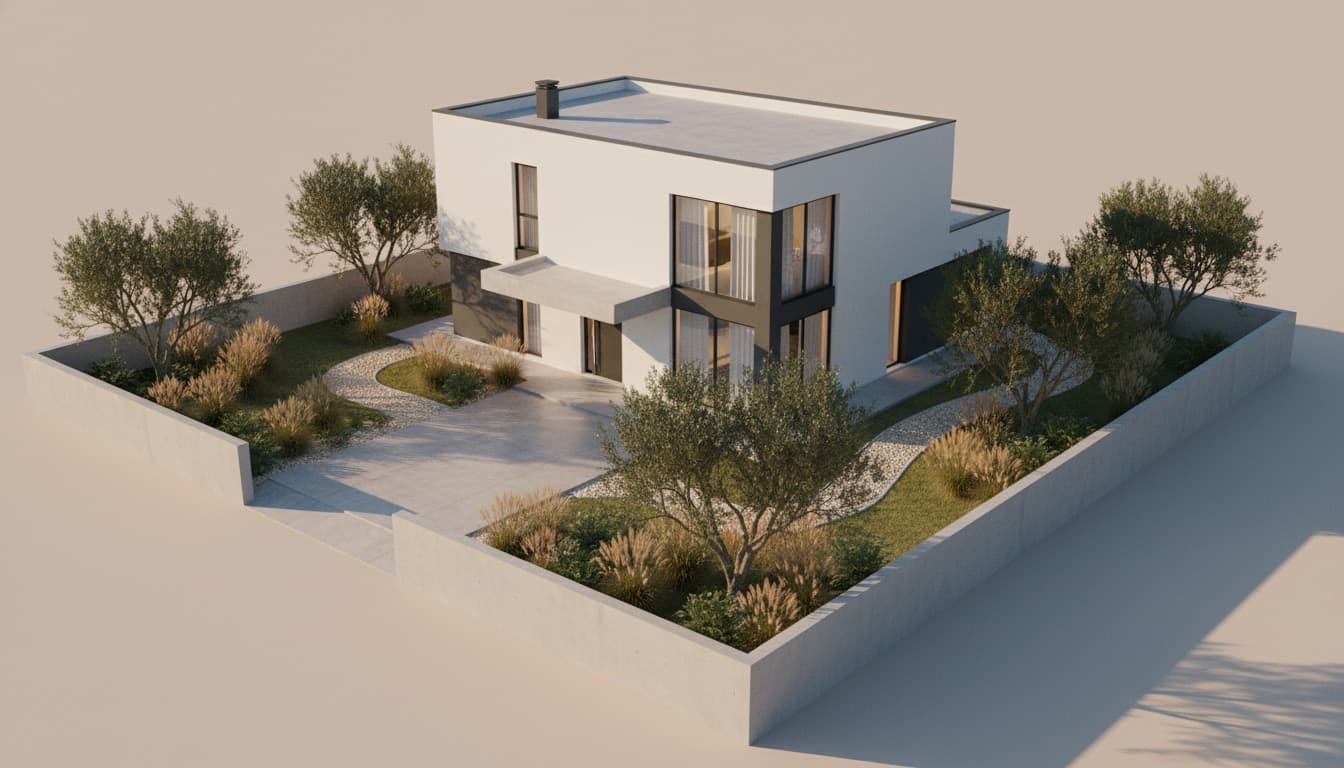
Hand the studio an empty plot — get a full home back. Facade, roofline, landscaping, and the complete interior.
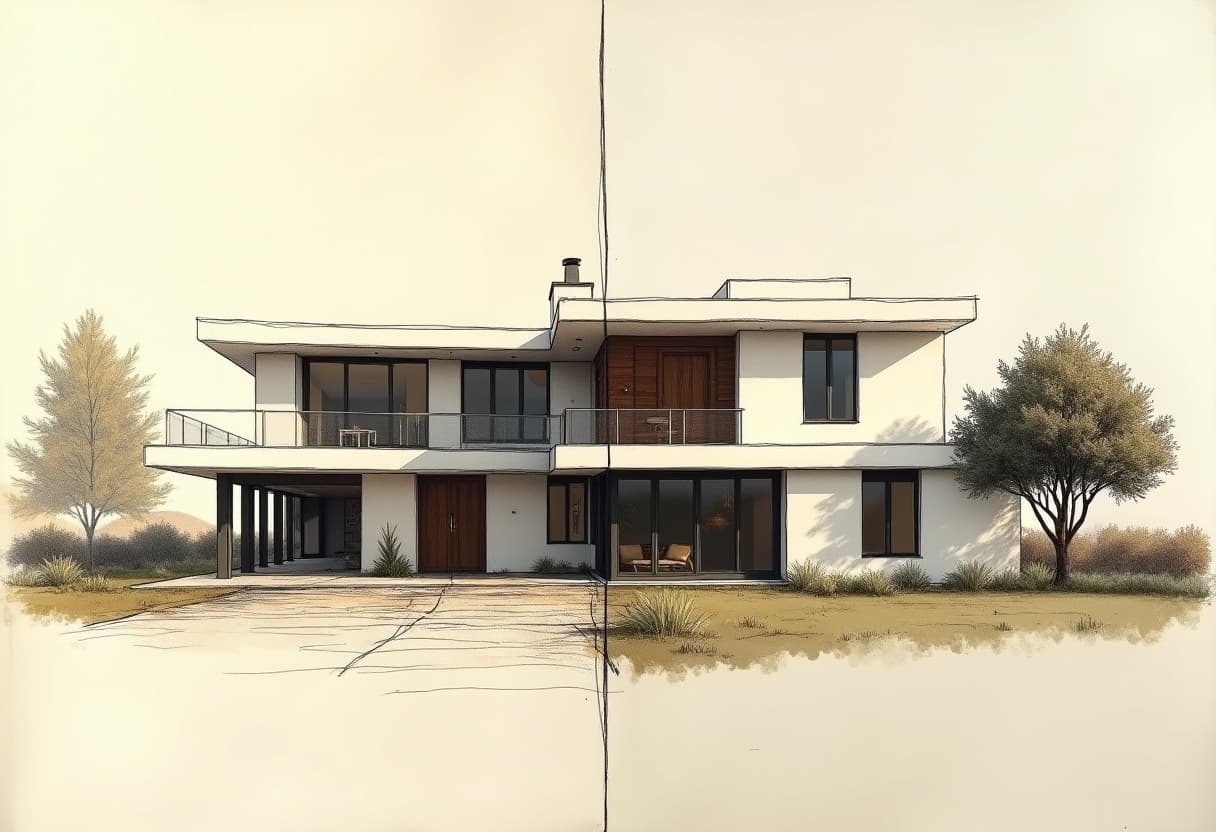
Hand-drawn lines become a photoreal render. Every wall, door, and roofline you drew stays exactly where it was — only the medium changes.
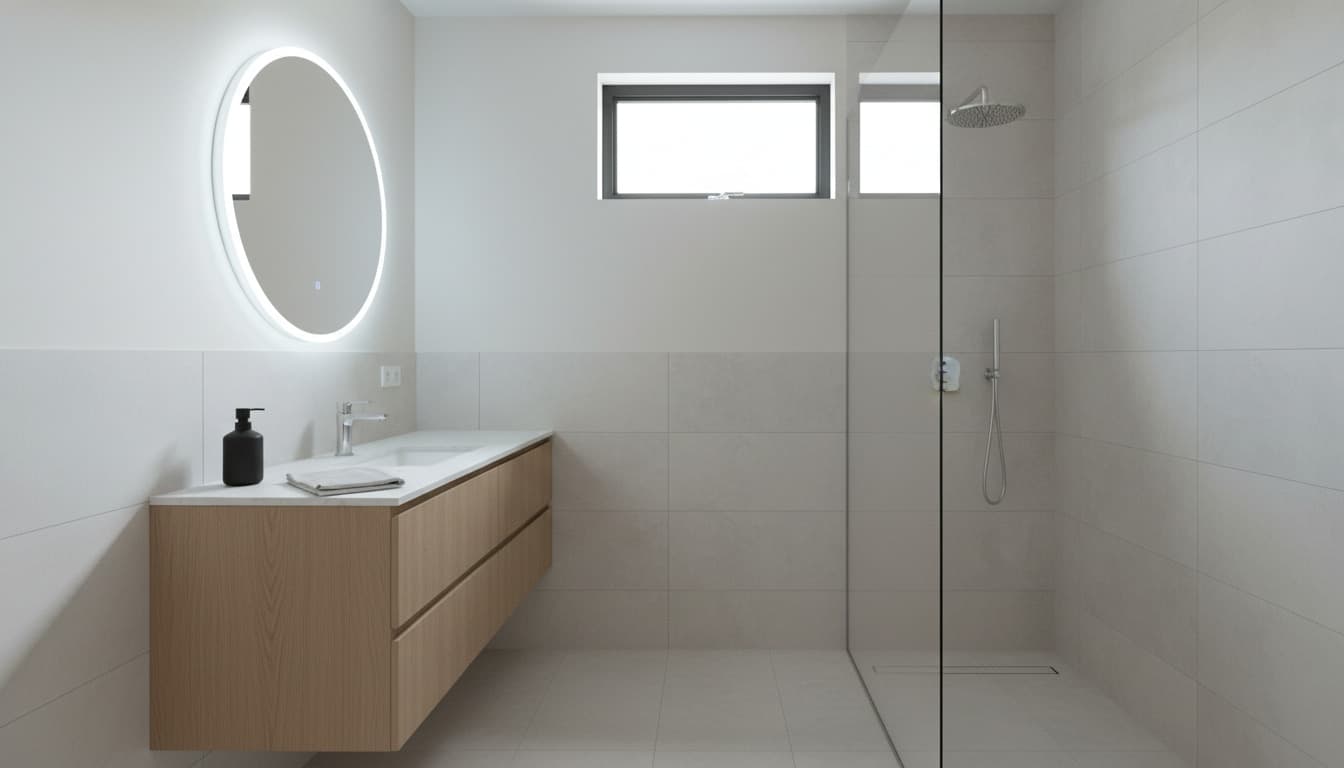
Every redesign opens with three distinct directions — modern, Scandinavian, industrial, and beyond. Want a fourth, a fifth, a tenth? Pick another from the 32-style catalog and conjure as many takes as the project deserves.
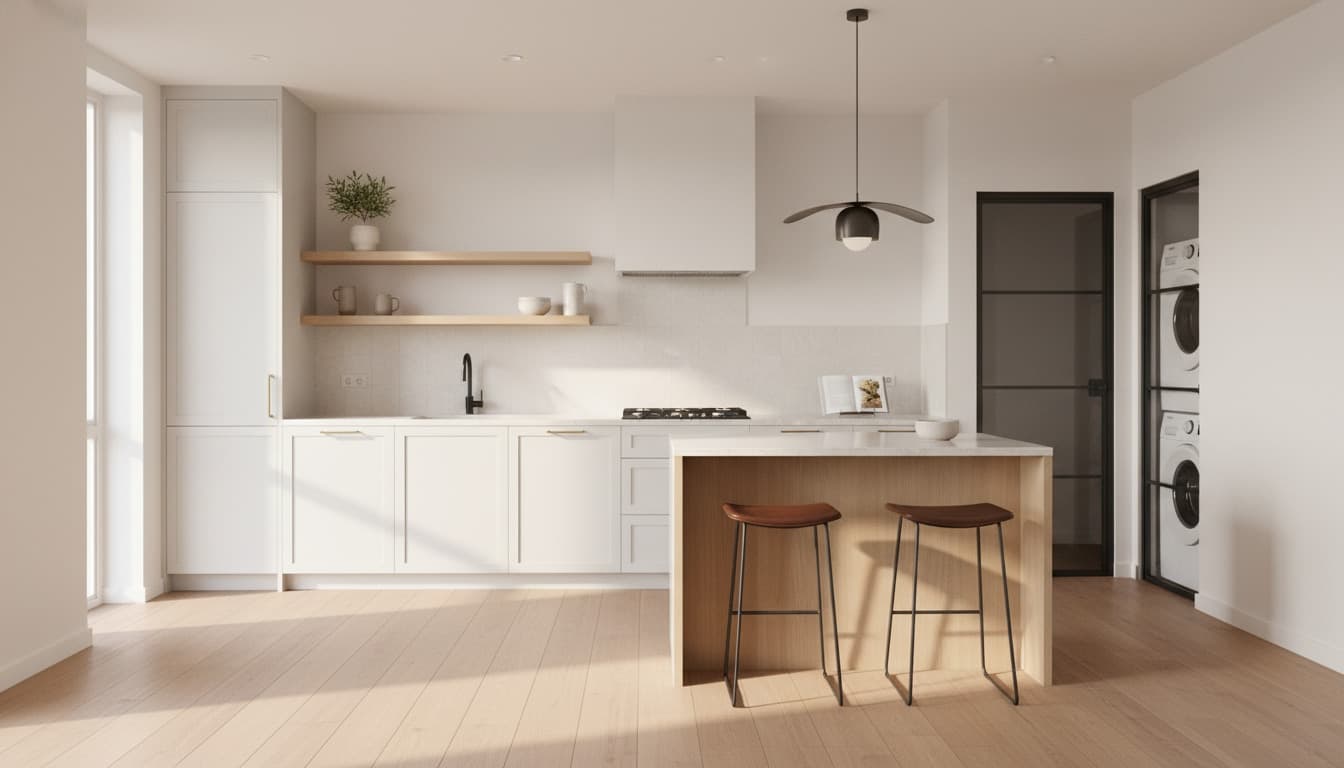
Every piece — furniture, fixture, finish — lands with a real cost range. See the total before you commit to a direction.
Snap a room you already live in — the photo becomes ground truth. Decor and furniture reimagined; walls, floors, and windows kept exactly as shot.
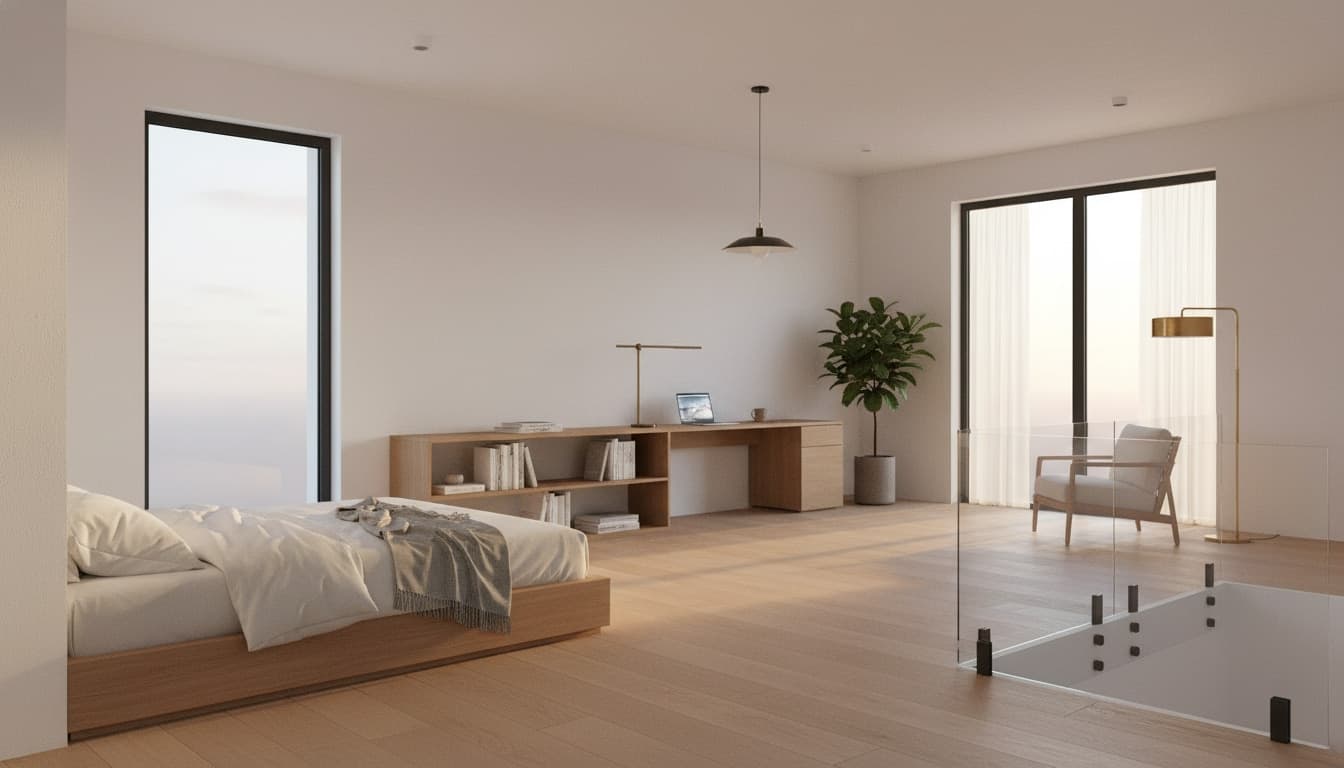
Every floor plan spawns a real walkable interior — orbit, fly, drop to eye level, capture a frame, or record a flythrough video.
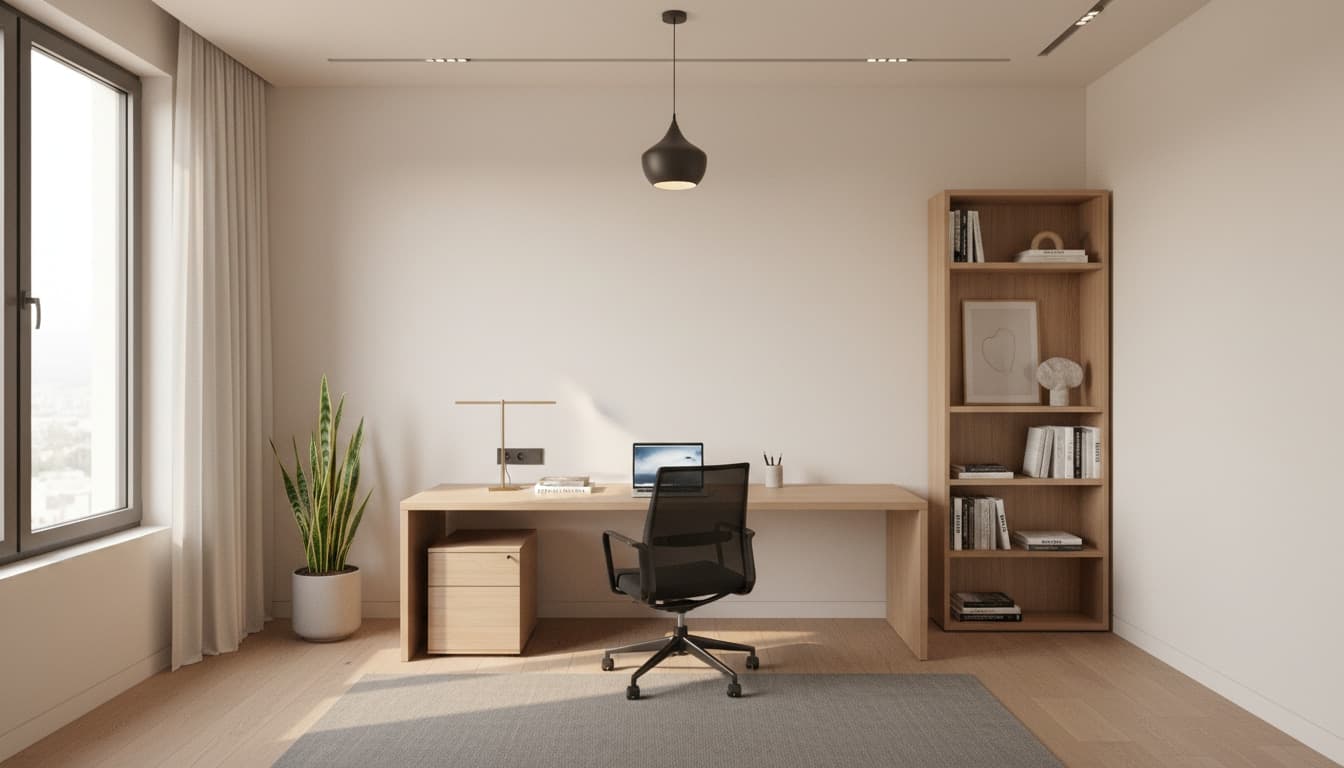
Drop an empty listing — the bare room is dressed in showroom furniture in 30 seconds. Walls, windows, and floors stay exactly as shot.
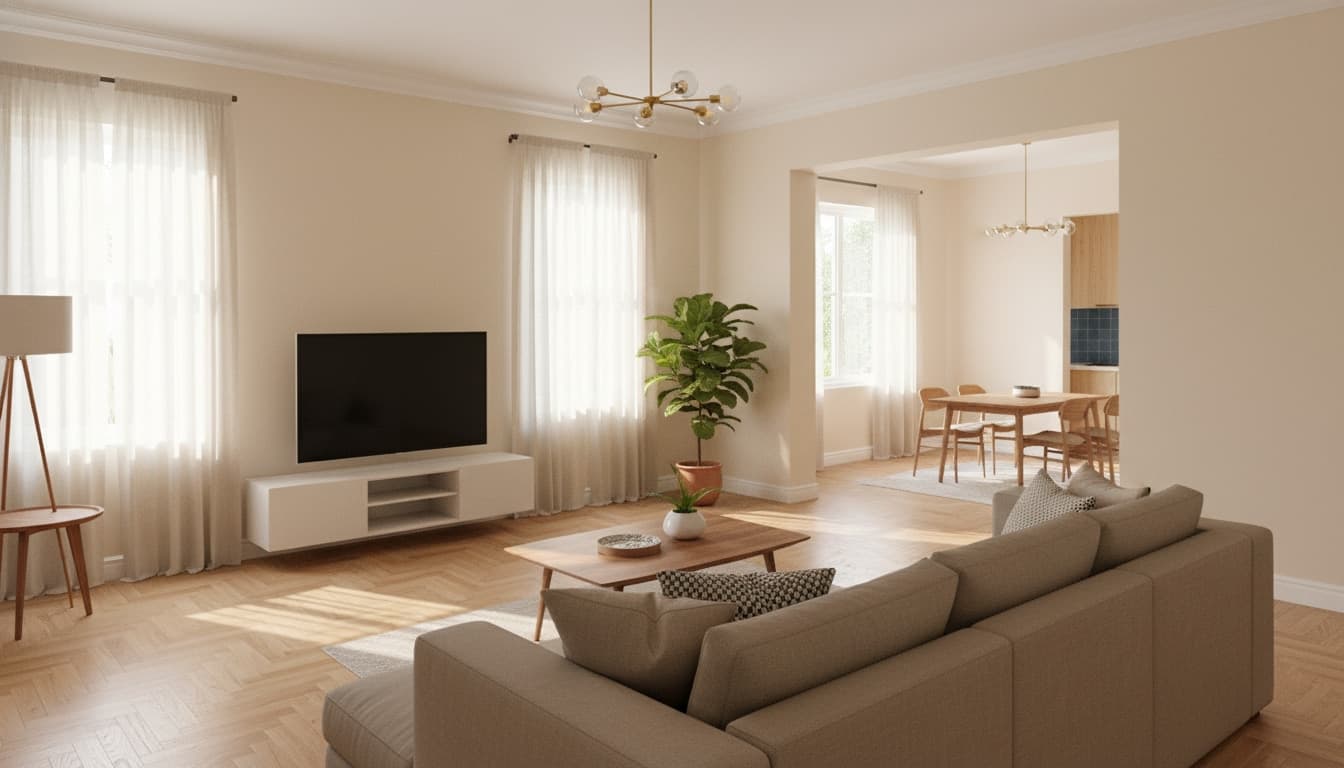
Believable before-and-after frames in under a minute — the kind of imagery you’d ship straight into a client deck.
Beyond the render — step inside in 360°, forge whole homes, price the build, check the code, read the daylight, and hand it off as CAD.
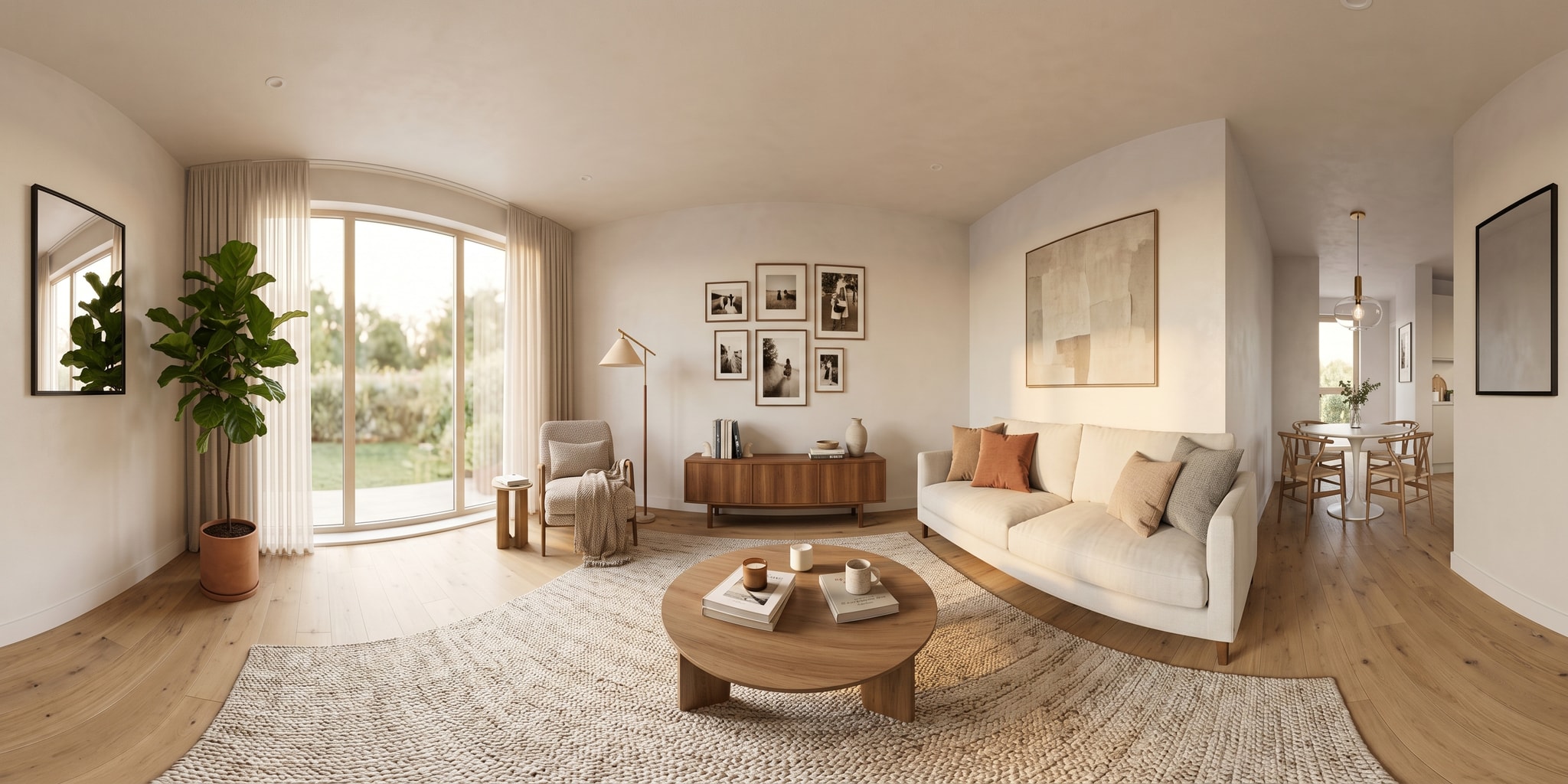
Every space becomes a true immersive panorama — drag to look around, ceiling to floor, like you’re standing in the middle of the room. Now across interiors, exteriors, and staged spaces alike.
The Ledger measures your plan and prices it line by line — shell, plaster, paint, flooring, doors, windows — in your region’s currency. A take-off, not a guess.
Code Compass checks setbacks, site coverage, room sizes, and egress against your region’s rules before a contractor ever sees it — every flag stating the legal target.
The Daylight Read-Out scores every room’s useful sunlight from its window orientations and your latitude — and flags the spaces that’ll overheat come summer.
Blueprint Bridge exports your plan as a clean, layered CAD file — walls, rooms, doors, and windows on the right layers — so it round-trips into any drafting tool.
Speak It → Refine takes a plain-language note — “warmer light,” “add a rug,” “lighter floors” — and routes it to the right edit, no menus to hunt through.
Brush a render to re-light a corner or paint a region to swap, add, or remove an object — only the area you touch changes, everything else stays exactly as it was.
The Forge spins a single plot into three structurally distinct homes — open-flow, cellular, and compact-core — each a complete, buildable layout. Instant, side by side.
The Reveal turns a bare plot into a single, swipeable before-and-after card — empty land beside the conjured home — with a link preview built to stop the scroll.
Love a layout someone shared? Remix clones its exact geometry into your own studio — restyle it, re-budget it, and render it as your own from a clean slate.
Three inputs. Three transformations. Pick an act below and watch Architerior AI turn a single source — a photo, a blueprint, a patch of land — into a full set of fully-costed homes.
Every image below was generated from the exact same source room — each rendered in under a minute.
Sample budgets · Palestine USD · illustrative
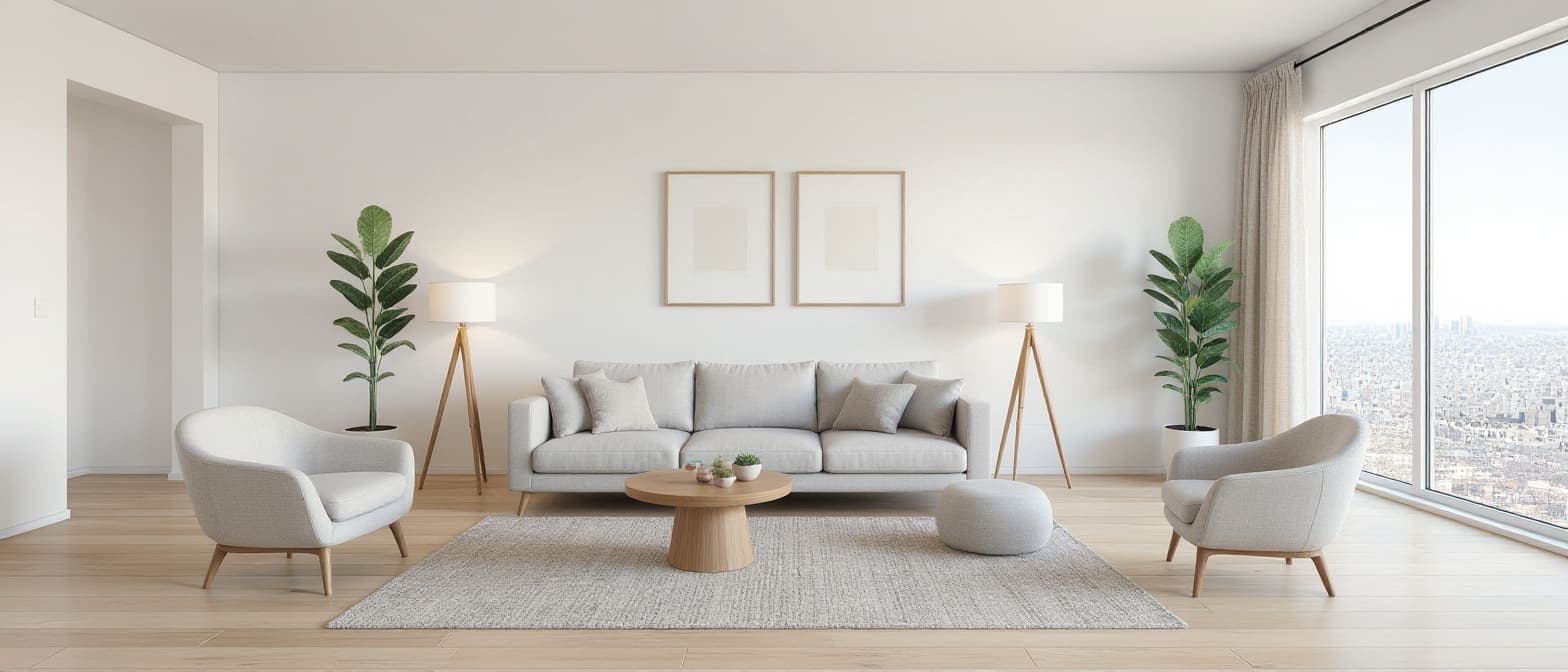
Low-profile sectional, natural wood, a restrained palette, and a single tall plant.
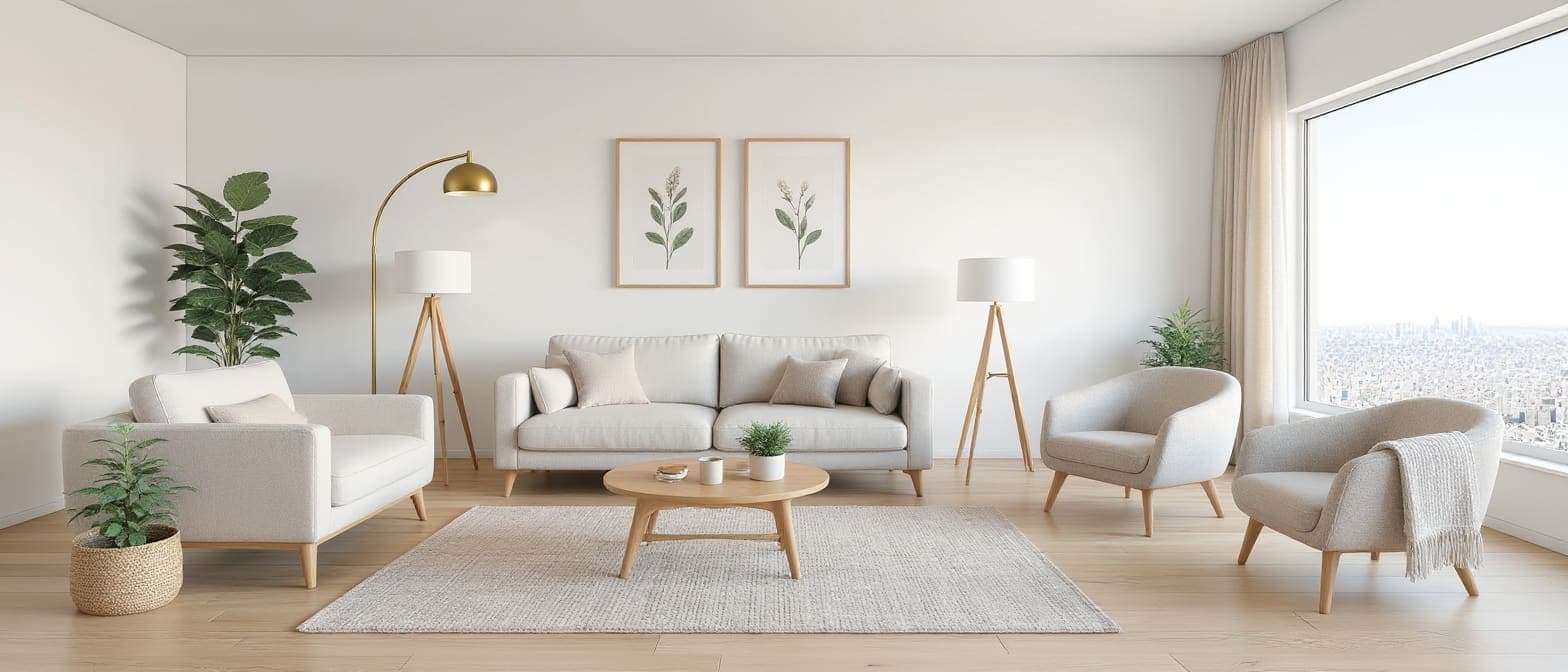
Cream boucle, pale oak, linen textures, and a warm, bright, uncluttered feel.
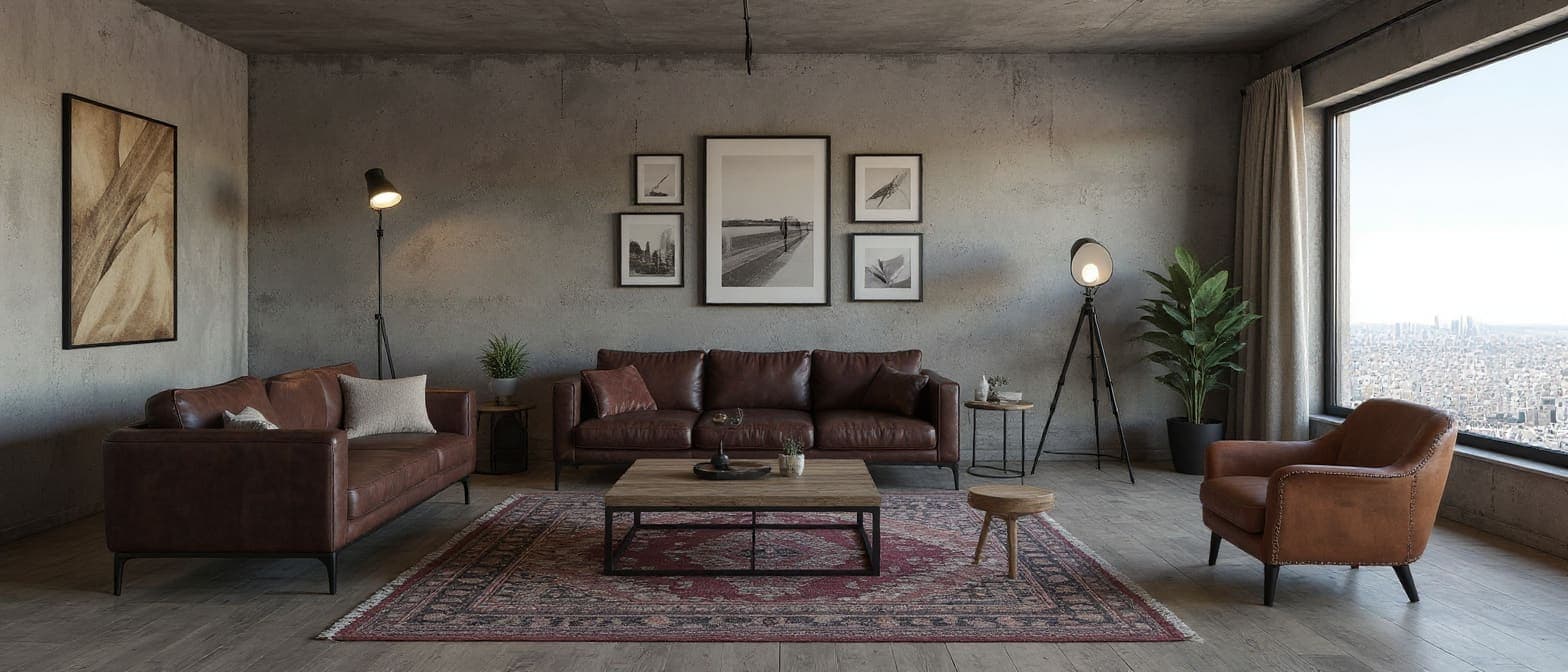
Aged leather, steel, reclaimed wood, and moodier lighting against exposed surfaces.
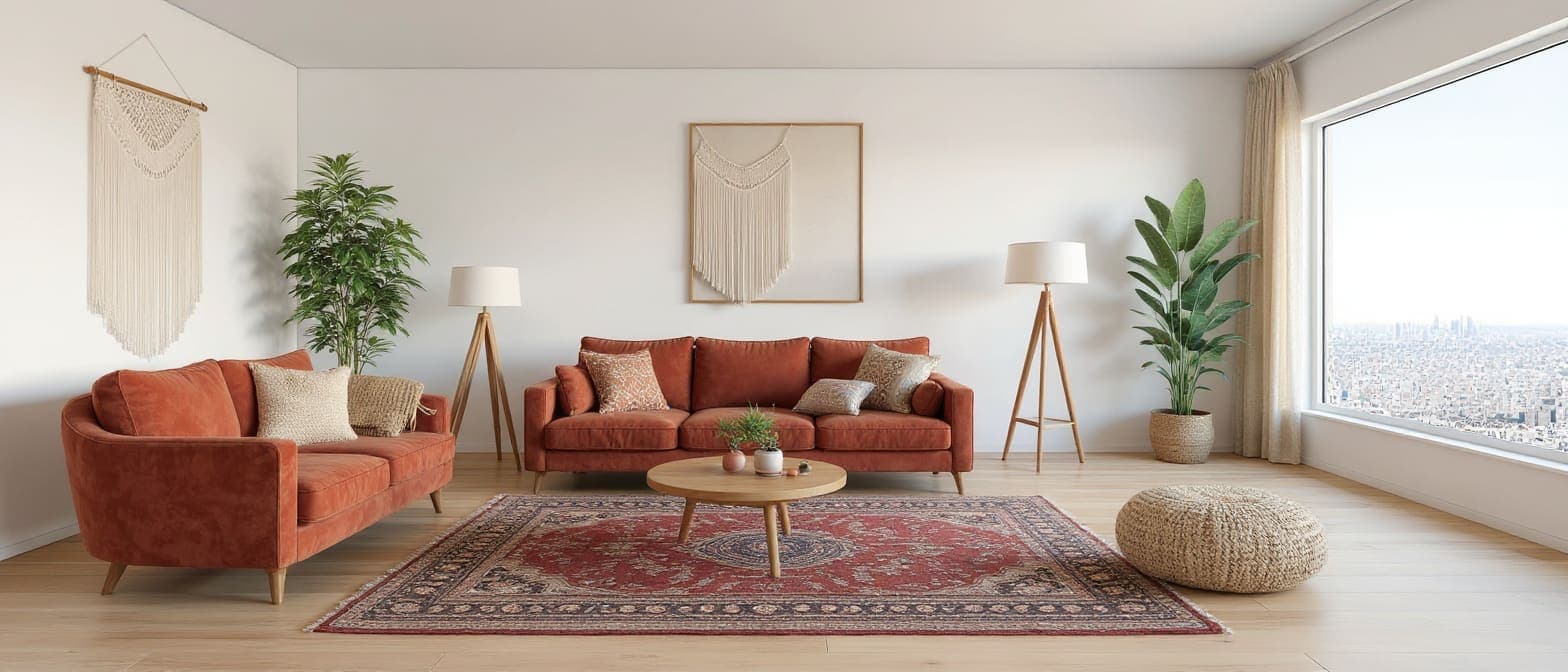
Terracotta velvet, layered textiles, rattan, macramé, and lush greenery.
Arki is the studio’s built-in AI assistant, and it doesn’t stop at explaining. Ask for something in plain words and it builds it for you — a render, a film, a 3D model, a whole restyled room — after showing you every step and its price on one card you tap to approve. It still answers anything, still drops a one-tap shortcut into the right tool, and if something goes wrong it forwards your issue straight to the support team, screenshot attached.
Drag across each image to reveal the AI’s redesign. Every transformation below was generated by Architerior AI — no designer, no studio, no render farm.
A 4×5 m living room carrying three decades of beige. Uploaded with one instruction — “warm, modern, keep the light”. Drag to see the room it became.
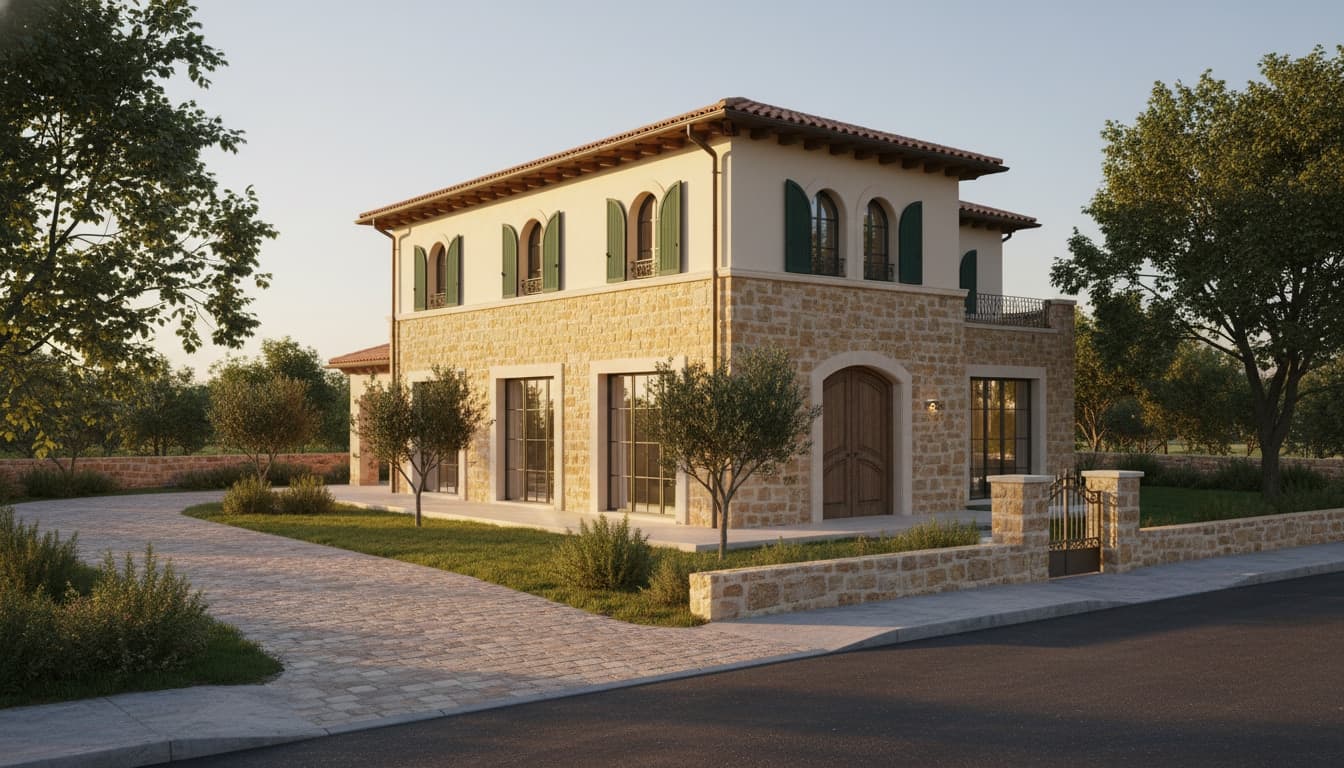
320 m² of bare land in a hillside neighborhood. Uploaded with plot dimensions and a two-story brief; the studio drafted the footprint and rendered the exterior in a single pass.
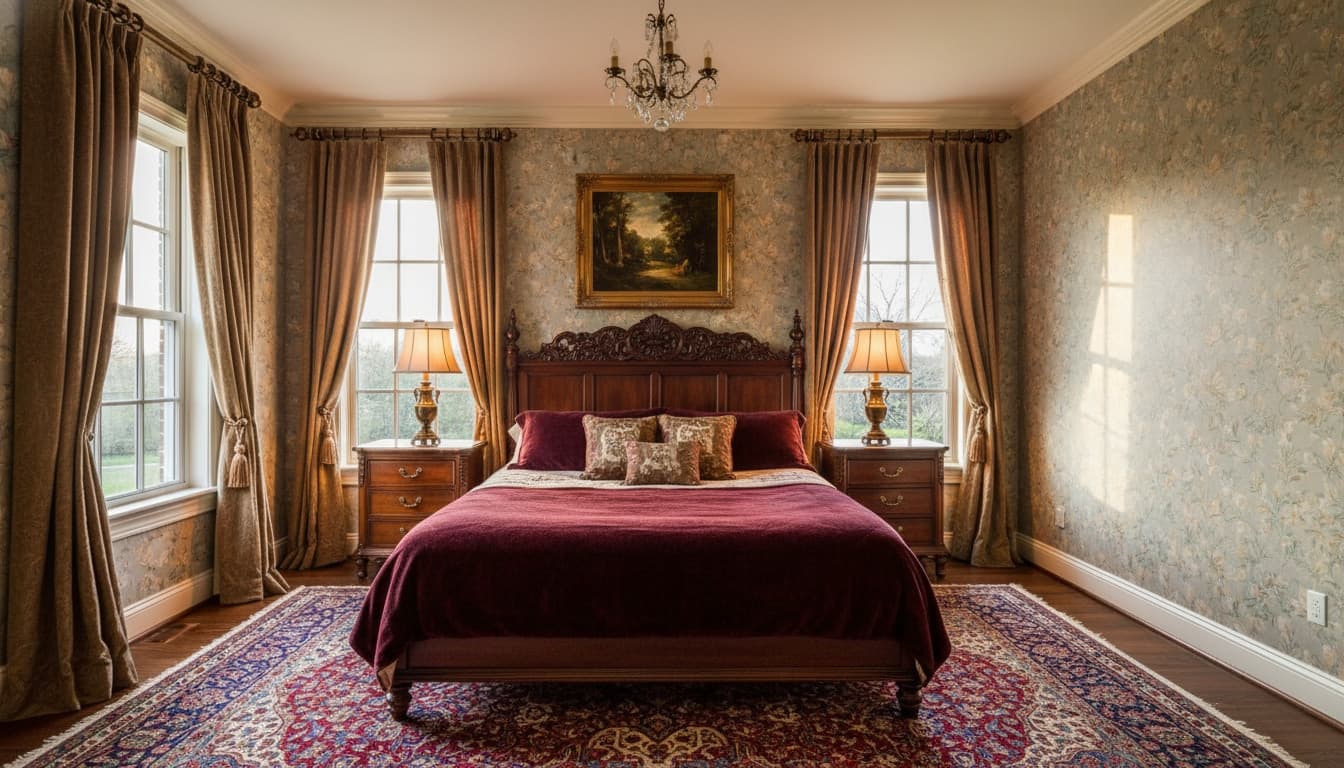
Just a floor plan and a one-word brief — “warm”. The studio lifted the primary bedroom off the plan, drafted the bed, the wardrobe, the lighting, and the rug, and rendered the room from the same corner the architect had drawn.
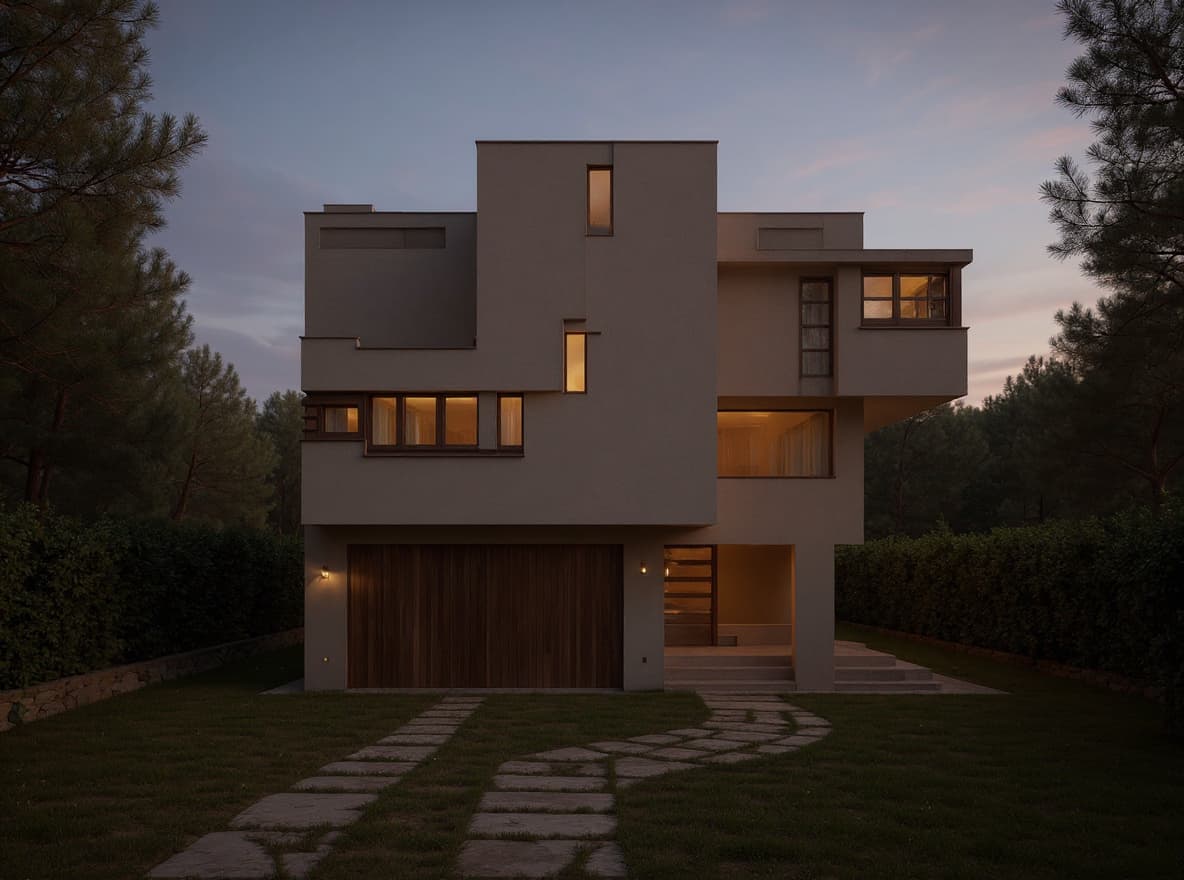
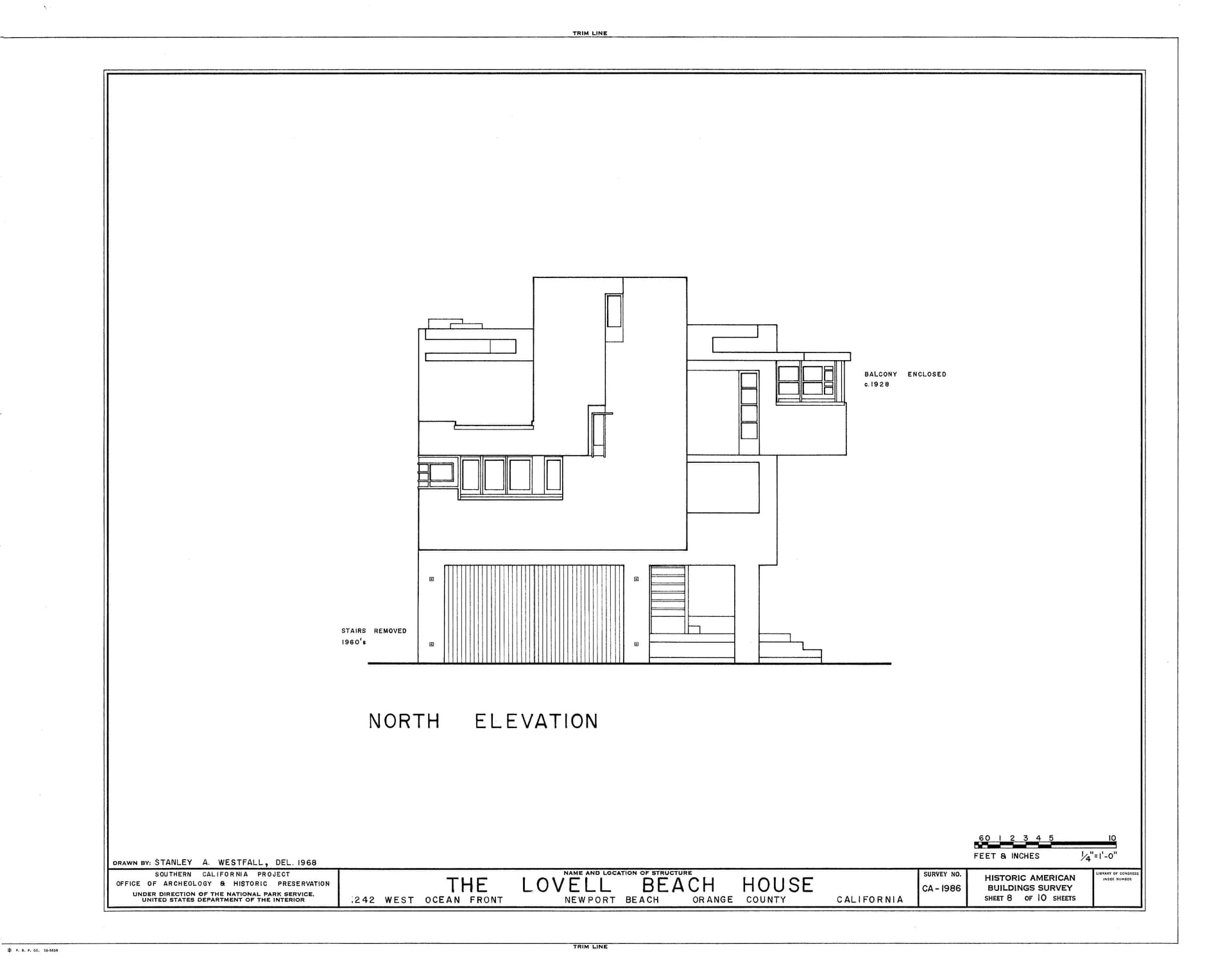
A black-and-white architectural elevation — flat planes, garage door, balcony, scale bar — fed straight in. Every cantilever and window opening held its place; the medium shifted from ink to evening light, warm interiors glowing through the cubist facade.
Most AI design tools stop at the photo. We don’t.
A help bot that tells you where to click
An assistant that does the work — ask in plain words, approve one itemised card, and it builds every step for you
Restyle a single room photo
Plus blueprints, CAD files, hand sketches, and bare land plots
A fixed layout you can't change
Reshape the plan itself — merge or split rooms, drag walls, open or close them — and every render, brief & budget follows
Static after-images
Walkable 3D and 360° panoramas — walk your own floor plan at eye height and rewind the build from bare slab to finished home, priced week by week; the model is yours to keep, as a real 3D file or standing in your room in AR
Still images, nothing that moves
Cinematic films — watch a home rise on your land, animate any image, with titles, captions & music in-app
Generic furniture suggestions
Per-item budgets with shoppable Amazon, IKEA & Wayfair links
One-size-fits-all pricing
Region-aware budgets across eight markets — local materials, local labor
Renders only
Renders, virtual staging, sketch-to-photoreal, and exterior elevations
AI-guessed furniture that never quite matches what you own
Turn a photo of one piece into a real 3D model, then drag that exact model into your own room photo — not a guess
Not just to hand you a tool — to leave you a little spellbound. Every render, every reveal, every quiet detail is crafted so you stop, smile, and wonder how it was ever this easy.
If a design or video ever makes you catch your breath, we’ve done our job.
How it began — and how one little spell became many.

The House. The Decor. Two words that one day touched something inside my heart — and pushed me to build this powerful platform, the one that will help so many people begin the dream life they've been imagining, and bring a quiet peace into it. And always remember — no matter how much magic this platform seems to weave, never let it convince you that the decor or the house matters more than being together. It isn't the house, and it isn't the decor, that holds the warmth. It's the two of you, together, who give a place its soul. The two of you are what turn them into a home.
What began as a single small spell quietly became many. An empty room, breathed into life a few different ways. A floor plan, dressed in the furniture and light it always wanted. A bare patch of land, raised into a whole house. A quick sketch, finished into something you can almost step into. Each spell opened the next, and the tool kept growing with the dreams it was asked to hold. Every home that passes through here should feel handmade, never templated — and dreamed up together, by the people it's truly for.
Every tool is unlocked on every plan — floor plans, land plots, sketches, staging, 3D, The Rise, the Studio canvas. One credit balance powers all of it, and bigger jobs (like video) cost more. A plan simply buys credits cheaper than a one-time top-up. Your monthly pool refills each month rather than stacking; credits you buy outright never expire.
The whole spellbook, on the house — no card needed
300 free credits every month
About 2 renders to taste the magic
Every tool unlocked — nothing is locked behind a tier
Enough to try a restyle or a staged room
Arki AI assistant — free, unlimited
Buy credit top-ups anytime
Email support
For homeowners and weekend designers weaving plans into furnished rooms
30,000 credits every month
About 11 full home designs, or 245 renders
50% cheaper per credit than top-ups
Top-ups you buy never expire
Every tool unlocked, at a working budget
Personal-use license
For studios, realtors, and serious renovators
65,000 credits every month
Unlimited Nano Banana 2 renders in 1K
About 24 full home designs, or 532 renders
54% cheaper per credit than top-ups
Top-ups you buy never expire
Commercial-use license
The flagship — our best rate per credit, sized for video and whole-project work
200,000 credits every month
Unlimited Nano Banana 2 renders in 1K and 2K
About 73 full home designs, or 1,639 renders
55% cheaper per credit — our best rate
Top-ups you buy never expire
Sized for The Rise, films, and the Studio canvas
Commercial-use license
A subscription is never required. Stay on the free Starter plan for as long as you like and buy credits whenever you need them — every tool in the app is already unlocked, and credits you buy never expire.
Instant. Yours forever — they never expire.
5,000 credits
$6
About 40 renders
25,000 credits
$28
About 204 renders
75,000 credits
$78
About 614 renders
250,000 credits
$250
About 2,049 renders
Architerior AI is fresh out of the cauldron. Send us what you summoned — your story could be the very first one we tell here.
Used Architerior AI on a real room, plot, or sketch? Send us the source, the renders, and the spend — we’ll feature the most magical ones right here, with your name on them.
Share your storyEverything you need to know about Architerior AI before you upload your first plan.
Yes — the free Starter tier includes 300 credits every month, no credit card required, and every tool is unlocked on it: floor plans, land plots, sketches, staging, 3D, video — nothing is reserved for paid tiers. One credit balance powers all of it, and bigger jobs cost more; a failed generation is never charged. What a plan buys is credits, cheaper: Beginner 30,000/month, Professional 65,000/month, Studio 200,000/month — each a lower price per credit than a one-time top-up. A monthly pool refills rather than stacking, while credits you buy outright never expire. The free pool is sized for trying things (a couple of restyles or staged rooms), so a full floor-plan design means subscribing or topping up.
Upload one room photo — or up to ten at once — and the AI reads YOUR actual space: dimensions, walls, features. Then pick any style from a curated catalog and each one weaves its own brief — palette, ceiling, flooring, furniture, lighting, accessories, even a budget. Stack as many takes as you like; you only spend on the styles you actually summon.
Drop in JPG, PNG, WebP, PDF, or DXF — even photos of hand-drawn sketches or printed plans become a full design. Large photos are resized automatically, so you don't need to compress them first; PDFs go up to 10 MB and DXF up to 25 MB. iPhone HEIC, TIFF, and BMP convert automatically. Sharper images unlock sharper detail.
Floor-plan analysis lands in roughly 1–3 minutes — the AI reads every room, marks every opening, and drafts the brief. For a room photo, the AI extracts the facts in 15–20 seconds; each style brief you summon after that weaves in another 10–15 seconds, and the photoreal render arrives shortly after.
DXF files are read at pixel-precision — every wall, door, and window comes back at the exact millimetre you uploaded. Photos, sketches, and PDF blueprints are interpretive: the AI returns a confident best read of the space and gives you tools to correct it on the canvas — the Reweave openings editor for floor plans, a What-is-this-room chip for unlabelled rooms, and a per-item swap if a furniture pick isn’t quite right. The cleaner the input, the closer to construction-grade the output.
Absolutely — the Professional plan includes a commercial-use license, built for architects, interior designers, and realtors shipping client work.
Yes — your uploads are used only to summon your designs. We never sell your data or share it outside the design pipeline, and your work stays yours.
Most AI design tools restyle a single room photo. Architerior AI reads blueprints, land plots, hand sketches, and CAD files too — and every land plot spawns a 3D walkthrough you can step inside, swap styles in, and share as a flythrough video. Plus virtual staging for realtors, sketch-to-photoreal for architects, and per-item budgets with shoppable links.
Yes — every render is yours to use however you like: share, print, embed, post. The Professional plan adds a commercial-use license so you can ship them in client work without a second thought.
Yes — Architerior AI runs in any browser, anywhere. Plans bill in USD, but every project’s per-item budget respects the region you pick at upload time — Palestine, Jordan, Saudi Arabia, UAE, Egypt, the Eurozone, or the UK — so the AI uses local materials and labor instead of imported assumptions.
Questions about a project, a partnership, or a feature you wish we’d add — we read every note.
Transforming architectural blueprints into stunning living spaces with the power of artificial intelligence.